Increasing or Decreasing Fees for an Existing Client
To Increase or Decrease Fees for an existing client being Billed via the Prospera DDR system:
- Select the client from the Dashboard
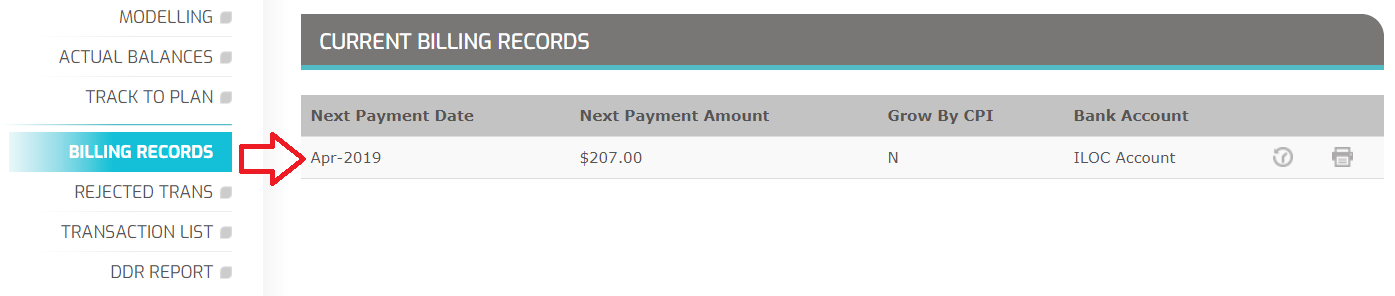
- If they are currently billed via Prospera, the side menu will have a Menu item called "BILLING RECORDS"
- Select "BILLING RECORDS"
- Select the record you wish to amend by clicking on that record
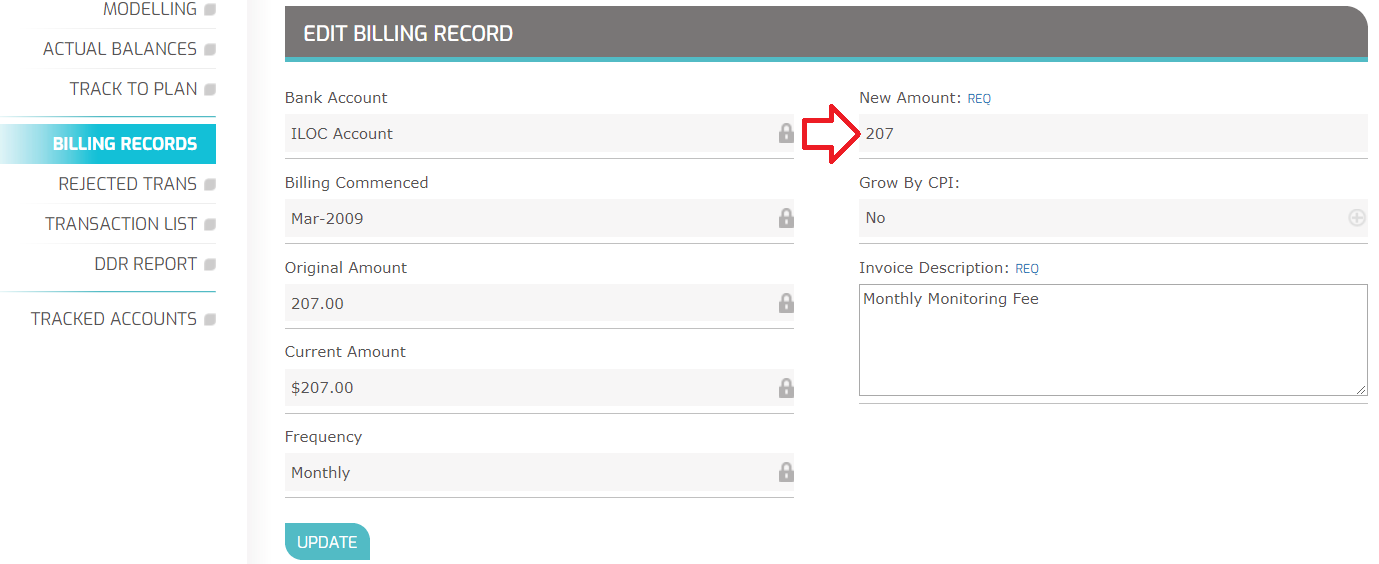
- The current amount you are billing is locked, and cannot be altered.
- Go to the field called "New Amount" in the right-hand column)
- Enter the new billing amount for this client.
- Click Update.
You can come back to this record to confirm the changes have been made. You can also see the History for this record by selecting the History Icon. The History lets you see what the fee was before you changed it.